Showing posts with label basic art tutorial. Show all posts

Sunday, 1 August 2010

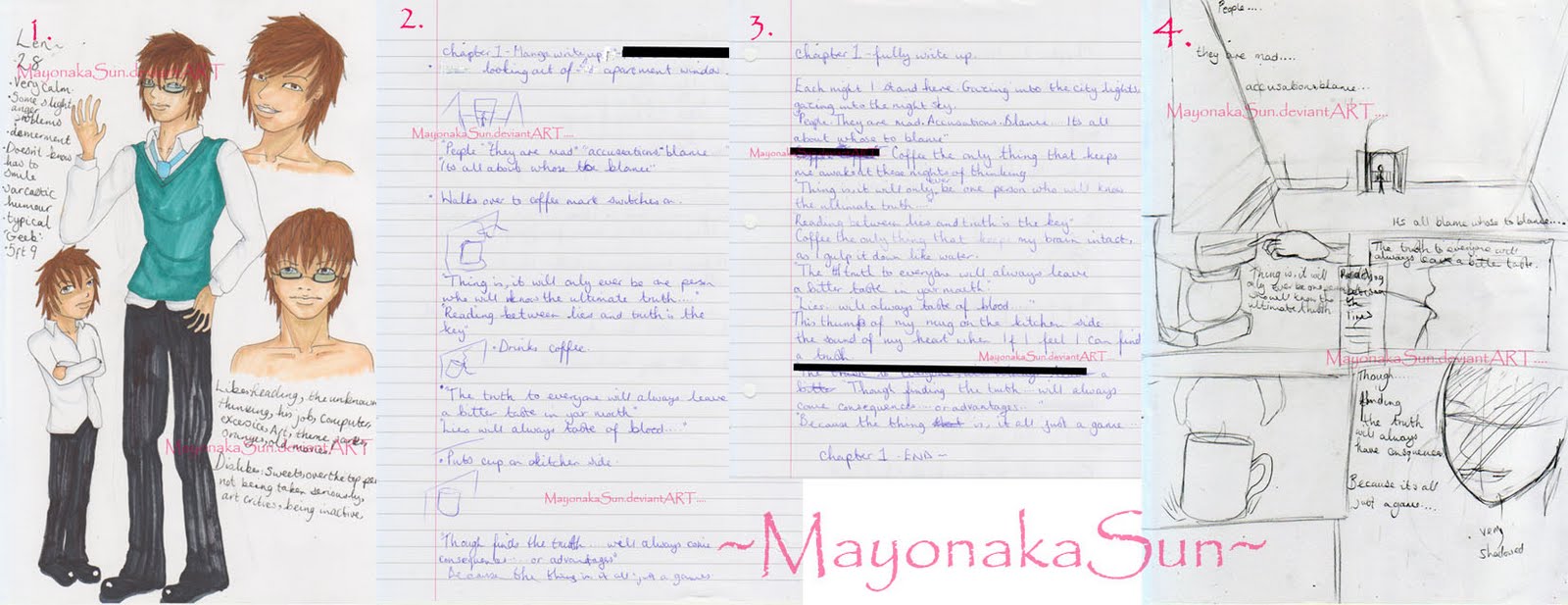
Basics of starting a comic

*This is the easiest steps I go though to making the comics I start but never finish.
*This is a way I find easiest, I'm not saying it the best in anyway.
*Please full view the example picture by clicking.
*This character and story belongs to me (MayonakaSun), do not steal!!

Wednesday, 7 July 2010

2 in 1 post tutorial and new art

Well these I actually uploaded on deviantART a couple of days ago.
First one is my finally completed Tenchi Muyos Ryoko fanart :D (Im uploading the stages towards so I can talk more about it instead of just saying 'This is my art' haha)

Tuesday, 29 June 2010

Cain drawing tutorial

Hey, as I said in my previous post I'd give you a small tutorial on my recent art here.
*Please click to view this fully.
*I am no where near an expert at this, I just explain what I find best and easiest for me :)~

As there is not much to say about the process I will only mainly be saying the pencils I used and pencil lines.

Tuesday, 8 June 2010

New Art....

Well, here is my newest art.

First one is a watercolour painting of Bassist Reita from the GazettE.

Watercolour Uruha Tutorial....

So this is just tutorial on watercolour painting, using Uruha from the Gazette. (Japanese rock musician)
*I am no where near an expert and do not know everything to do with watercolour painting, I just use them in a way I find best.
*I am not using watercolour paper so it will probably look different probably look different on there.
*The watercolours Im using are only Aquafine by I think Daler Rownay, I not sure if they are good or bad but I do find they are good quality for cheaper paints :).
*PLEASE click on this image to view it completely.

Sunday, 21 March 2010

Brush Tool Tutorial

Well, my friend asked me about brush tools the other day,
as in my college work I had little butterflies and roses and she didn’t know how to do it.
So I thought I would give you this so I can hopefully help other people too.
*All of these brushes in the tutorial/examples can be resized in anyway, to your preference.
*I am using Photoshop CS2, so things may vary in different versions of the program.
*All examples are below their explainations.
*More detailed look into the brushes are in the images, so please click the pictures to enlarge.

Sunday, 21 February 2010

Anime digital art tutorial

Well I shall be telling you how I make a digital anime art painting using a scanner, Photoshop and a cheap graphics tablet, which is a Wacom Bamboo fun.
Please visit my more recent anime digital art tutorial here 'Falling Apart' -Digital anime art tutorial.

*Most/all the parts I made on all separate layers.
*All this is from what I know to do easiest, I am not the best and there will probably be much better ways of doing this, mine just comes as an example for techniques.
*I am only using Photoshop CS2, things may varies of different versions.
*More in depth examplainations on all the images, so please click to enlarge them. :).
*All images are above the examplanation of that section.
*This painting can be found on my deviantART page ->http://mayonakasun.deviantart.com/art/Pirate-Girl-126031671